Hush Pro
AI-powered dialogue repair
Hear it for yourself
Using Hush Pro with AudioSuite preview, I dial back the noise and reverb in two short clips — one recorded above a busy street, the other in a reverberant stairwell.
What the experts say



You and Me Both (Hillary Clinton)
From Hush to Hush Pro
Recrafted from the ground up for post-production workflows, Hush Pro features a new, even more precise ML model, a DSP engine optimized for live previews, and a UI shaped by months of feedback from editors in the field. The AudioSuite plugin comes in two different flavors, integrating seamlessly with Pro Tools:
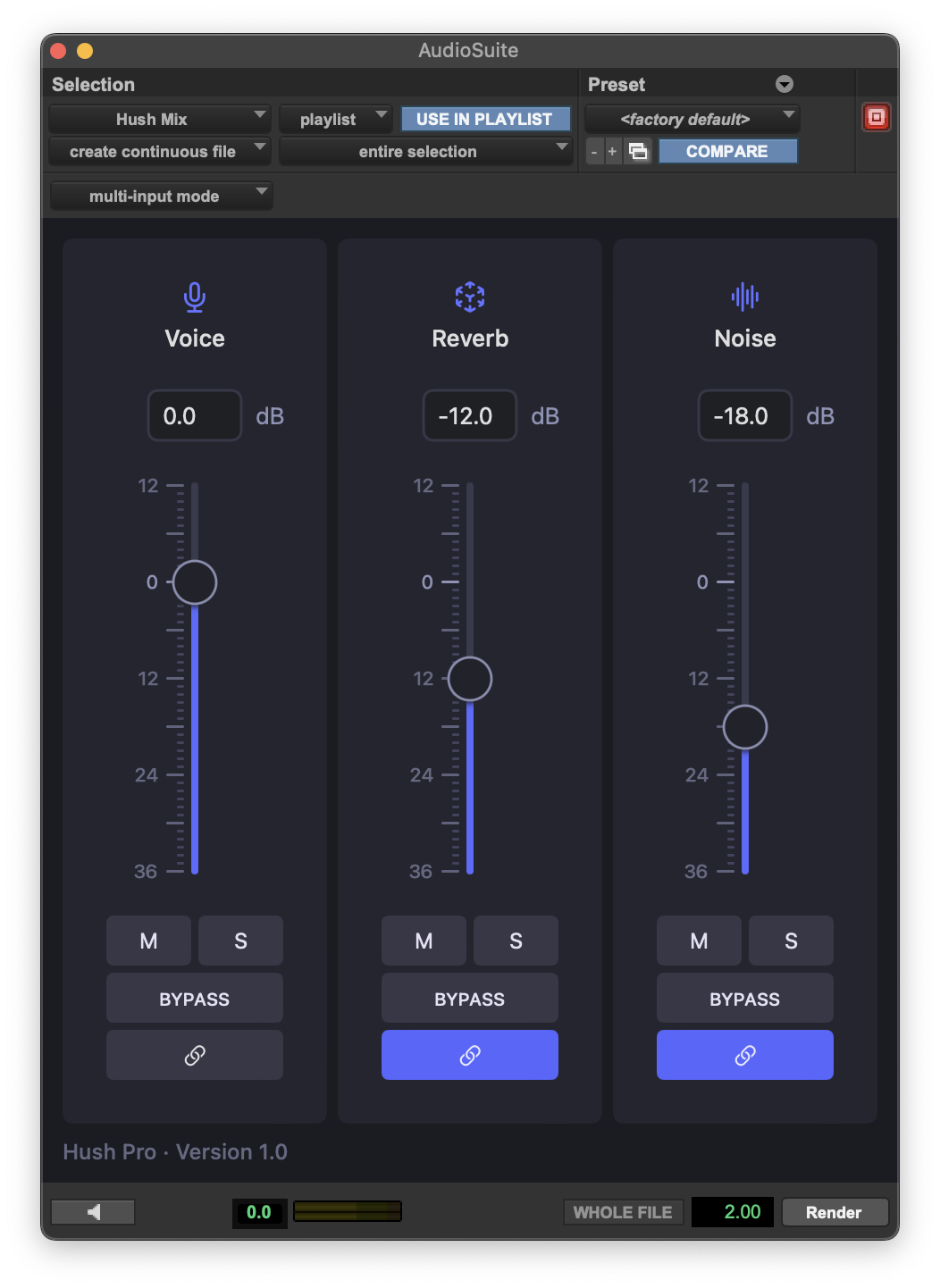
Hush Mix lets you rebalance speech, reverb, and noise as if they were separate channels, previewing the results in real time. Control the precise signal-to-noise ratio with decibel-based faders, link channels for faster edits, or toggle the mute, solo, and bypass buttons to make a/b comparisons on the fly.
Hush Split uses the same engine under the hood, but prints speech, reverb, and noise into separate lanes. You can tweak the clip gain on each lane, add other plugins, or make non-destructive edits (for example, isolating a section of room tone to fill silence elsewhere in the session).
Features
- Isolate dialogue with surgical precision.Hush Pro uses machine learning to separate clean dialogue from everything around it: room reflections, ambient noise, and transient sounds (like chirping birds or honking horns). The result preserves all the nuance of the original signal, with far fewer artifacts than traditional noise reduction.
- Speed up your workflow with adaptive processing.Hush Pro adapts to your source material automatically, without the need to pre-sample noise or tweak complex parameters. Processing kicks in only when needed: the quieter the noise or reverb in your original audio, the more subtle the result — even at the highest levels of reduction.
- Preview results in real time.Hush Pro supports live previews in AudioSuite, with smoothed parameter changes, click-free loops, and per-channel mute, solo, and bypass buttons.
- Edit layers in separate lanes.Use the included Hush Split plugin to render dialogue, reverb, and noise into separate clips, which you can edit non-destructively or process further with other plugins.
- Harness the power of Apple Silicon.Hush Pro uses the GPU and Neural Engine on M1/M2 Macs to accelerate rendering, enable real-time previews, and keep CPU usage to a minimum.
- Own it for life.Your one-time purchase includes free minor updates (up to version 1.x) and any future plugin formats (e.g. AU or VST) — without subscription fees or obligatory upgrades. Hush Pro uses a simple, DRM-free installer, so you can move seamlessly between machines. And it runs locally on your Mac, keeping all your audio data private and secure.
- Support a team of one.Like the Hush app, Hush Pro is the work of one person, driven by a life-long passion for audio. Your purchase helps me keep the lights on while I build features, fix bugs, and answer all your quips and queries.
Requirements
- Apple Silicon MacAny model will do (M1 or M2). Hush Pro needs a lot of juice, and won’t run properly in Pro Tools without an Apple Silicon GPU. You can use Pro Tools in Apple Silicon Native mode or under Rosetta 2 emulation, with comparable performance.
- macOS 13
Hush Pro currently supports macOS 13 (Ventura). I plan to add support for macOS 12 (Monterey) in early October and for macOS 14 (Sonoma) later this Fall, after resolving some outstanding issues. I’ll publish any updates on this product page, in my newsletter, and on Twitter (@hushaudioapp).
Already activated the free trial on Monterey? No problem — the next update will extend your trial period, so you can demo Hush Pro once it’s working properly on your system.
- Pro Tools 2021.12 or laterAt the moment, Pro Tools is the only supported DAW. Hush Pro is built from the ground up for AudioSuite, which (unlike a real-time insert) permits random access and offline rendering. That said, I hope to add other plugin formats in the not-too-distant future.
Resources
Try it free for 21 days
Download the full-featured trial and use it for three weeks with no restrictions.